In summary
What you need to know
Build useful guest profiles, improve recognition and use customer data responsibly.
- Prioritise accurate, actionable profiles
- Use segments for defined actions
- Control access and keep records exportable
- Best for
- Hospitality operators reviewing guest crm
- Reading time
- 6 min read
- Last reviewed
- 2 August 2026
Share this guide
A restaurant guest CRM brings visit history and preferences into one usable profile. Its value comes from better recognition and service, not from collecting the largest possible quantity of data.
01
Create one reliable profile
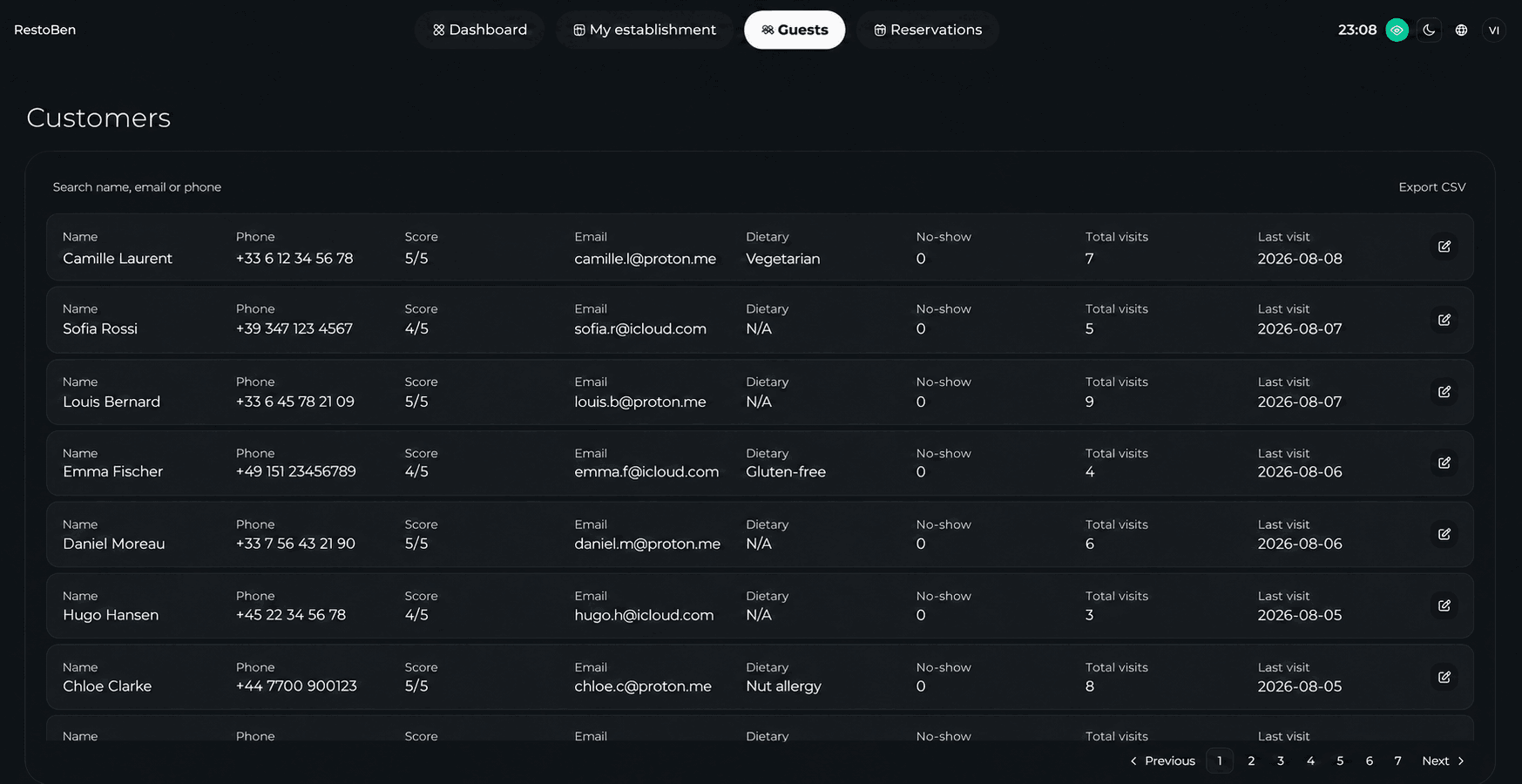
Match bookings using stable contact details while giving staff a way to review possible duplicates. Record factual preferences and operational notes. Avoid subjective or sensitive commentary that is not necessary for service.
02
Make data useful during service
Surface the few details a host or manager needs: last visit, usual area, dietary information, VIP handling and unresolved feedback. Too many fields hide the information that matters.
Service-first CRM
Show different context at each guest moment
The useful profile is not the largest profile. It is the smallest trusted view that helps the current role act well.
| Moment | Useful context | Keep out of view |
|---|---|---|
| Before arrival | Current booking, preferences, open recovery | Full campaign history |
| At the door | Recognition, access and dietary notes | Broad exports |
| During service | Relevant preference and promised action | Subjective staff comments |
| After visit | Outcome, feedback and next action | Outdated service notes |
03
Segment with purpose
Useful groups can include first-time guests, frequent visitors, lapsed regulars, event attendees or guests who prefer certain services. Build a specific action for each segment instead of sending the same campaign to everyone.
04
Control access and exports
Restrict staff permissions by role, keep operational messages separate from campaigns and make guest records exportable. Exportability prevents the relationship from being trapped in a marketplace.
05
Procurement and operating depth
Design the profile around service moments. Before arrival, the team may need a reliable contact method, booking history and the current reservation context. At the door, the useful view becomes recognition, accessibility, dietary information and unresolved service recovery. After the visit, managers may need outcome, spend or feedback data. One giant profile screen rarely serves all three moments well; prioritised views and role permissions make the information usable.
Create a controlled vocabulary for staff notes. Categories such as seating preference, dietary requirement, accessibility need, celebration and service recovery are clearer than unstructured labels. Notes should be factual, relevant and time-bounded when circumstances can change. Avoid sensitive or subjective commentary that is not necessary for the service. Give managers a way to correct or remove inappropriate records and document that responsibility in training.
Segmentation should begin with a decision, not an audience size. A lapsed-regular segment is useful only if the venue defines what counts as regular, how long absence must be, which communication will be sent and how success will be measured. The same logic applies to first-time guests, event attendees or high-frequency visitors. Keep operational labels separate from campaign audiences so the team can measure each use clearly.
Plan for profile maintenance. The operating process should cover duplicate merges, obsolete preferences, inactive-record reviews and sync errors across connected systems. Set a review cadence instead of keeping every field indefinitely. Test an export and a duplicate merge before launch; these exercises reveal hidden copies, unclear ownership and integration gaps more effectively than a policy document alone.
Measure CRM quality before campaign revenue. Track matched profiles, duplicate backlog, usable preferences and staff adoption. Then connect recognition or targeted communication to repeat visits and contribution using careful attribution. A campaign sent during a naturally busy period may correlate with bookings without causing them, so use holdouts or comparable segments when the commercial decision justifies the effort.
Choose integrations based on the decisions they enable. Point-of-sale data can enrich spend history, but only if transactions match reliably to the correct guest and staff understand the limitations. Reservation sources, feedback systems and marketing tools create similar matching questions. For each connection, document the identifier used, the update frequency, conflict handling and the system that wins when two records disagree.
Build service-recovery handling into the profile. A useful record shows the issue, owner, promised action and resolution date without turning one complaint into a permanent negative label. Limit visibility to roles that can act on it and close the note when the commitment is fulfilled. Reviewing recurring recovery themes can expose operational problems, but individual guest details should not be copied into broad reports unnecessarily.
For groups, decide which knowledge is shared and which remains local. A guest may expect recognition across sister venues, while brand policies or franchise arrangements may require separate operating records. Configure roles around the actual organisational relationship. Test the same guest booking at two venues to see whether duplicates, preferences and campaign status behave as intended before enabling portfolio-wide access.
Include adoption in the CRM launch plan. Hosts need short, role-specific guidance on finding a profile, adding an appropriate note and escalating a possible duplicate. Managers need routines for quality review and access approval. Marketing users need clear eligibility rules. Observe real use during the first services: if staff create parallel paper notes or skip profile lookup, simplify the view and workflow before adding more fields or automation.
Review the CRM quarterly as an operating product. Remove fields nobody uses, correct permissions that have drifted, sample note quality and test an export and duplicate merge. The goal is a smaller, trusted record that supports service consistently, not a database that grows faster than the team's ability to govern it.
Venue-specific application
A realistic operator example
A returning guest has booked under two email addresses and one shared phone number. Instead of merging profiles automatically, a manager reviews the possible match, retains both booking histories and records only operationally useful preferences. At the host stand, staff see the last visit, dietary note and unresolved feedback, not the full export or campaign history.
- Define the purpose of every guest field
- Keep service messages separate from campaigns
- Create a duplicate-review process
- Restrict exports and campaign permissions
- Set routine data-cleanup reviews
- Train staff on factual, respectful notes
What to measure
Signals that belong in this review
Next operational step
Use the relevant UpSalt workflows
- Prioritise accurate, actionable profiles
- Use segments for defined actions
- Control access and keep records exportable