In summary
What you need to know
Manage sunbeds, zones, packages, minimum spend and weather-sensitive bookings.
- Map position-based inventory accurately
- Connect zones to transparent rules
- Design weather workflows in advance
- Best for
- Hospitality operators reviewing private beaches
- Reading time
- 6 min read
- Last reviewed
- 2 August 2026
Share this guide
Private beaches sell a combination of physical position, time, service and experience. Generic appointment tools rarely represent that inventory well. A purpose-fit platform should make the beach map and commercial rules easy for guests and staff.
01
Model beach inventory
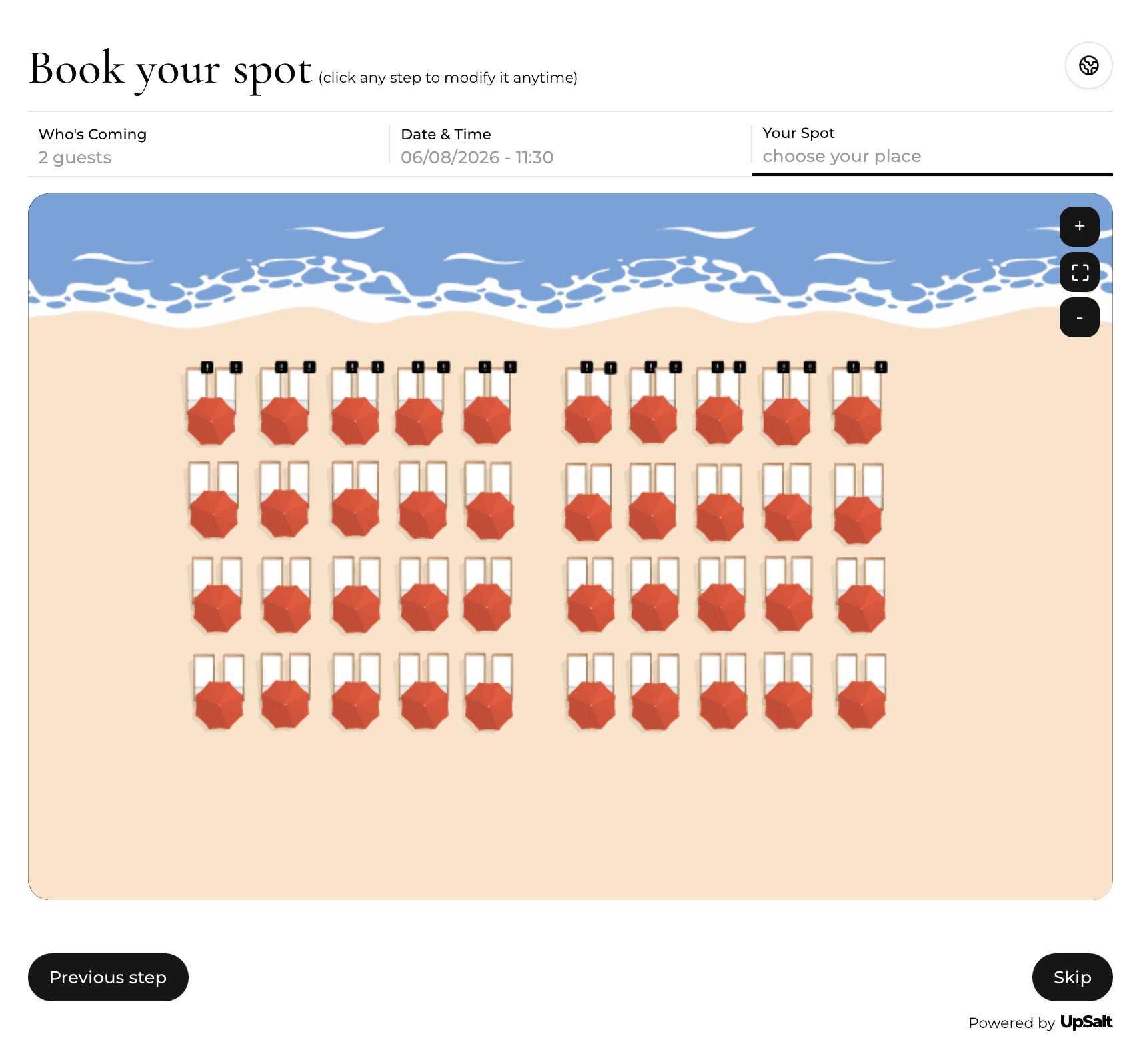
Represent individual sunbeds, pairs, cabanas, rows and zones with clear capacity. Add sellable combinations and unavailable maintenance areas. The plan should remain usable when the layout changes during the season.
02
Attach commercial rules
Configure price, minimum spend, deposit and included services by zone, date or session. Premium front-row inventory may follow different rules from standard loungers. Guests must see the full commitment before payment.
Beach inventory model
Describe every asset as space, time and product rules
A sellable unit can belong to a pair, zone or package and may be affected by weather, access and service conditions.
| Asset | Rules to encode | Day-of-service action |
|---|---|---|
| Sunbed pair | Fixed pair, full-day use, zone price | Move or block together |
| Cabana | Capacity, inclusions, minimum spend | Verify party and payment |
| Restaurant table | Service duration and arrival pace | Track separately from beach stay |
| Weather zone | Closure and rebooking policy | Notify only affected guests |
03
Run arrival and service
Staff need fast guest lookup, QR or list-based check-in, status visibility and clear package entitlements. Notes and preferences should follow the booking without exposing unnecessary personal data.
04
Prepare for weather
Define closure, transfer, credit and refund workflows before bad weather arrives. Communicate decisions consistently and keep an audit trail. Flexible rules can vary by forecast confidence and venue policy.
05
Procurement and operating depth
Private-beach inventory combines space, time and product conditions. A numbered sunbed may be sold for a full day, a pair may be inseparable, a cabana may include an arrival window, and a restaurant table may follow a separate service duration. The system should prevent a physical unit from being sold through conflicting products while still giving managers controlled ways to upgrade, move or block it. Model these relationships explicitly before importing availability.
Weather handling needs a complete operating policy. Decide who closes inventory, which bookings qualify for a move, credit or refund, how guests are notified and how staff see the decision at check-in. Test partial closures as well as full closures: wind may affect one zone while the restaurant remains open. Keep the original payment and policy acceptance attached to any rebooked reservation so the commercial history stays clear.
Map the day-of-service handoffs. Reception needs fast lookup and payment status; beach attendants need the assigned unit and included services; food-and-beverage teams may need minimum-spend progress; managers need exceptions and inventory overview. These roles should not share one unrestricted account. Role-based views reduce confusion and limit access to guest and payment information that a team member does not need.
Treat add-ons as operational promises. Towels, parking, bottles, meals, celebration packages and water activities may each require capacity, preparation time or an external supplier. The booking system should stop selling an add-on when fulfilment is unavailable and communicate it to the responsible team. Measure attachment and contribution after fulfilment cost, not gross sales alone.
Pilot with a representative zone before a full seasonal launch. Include direct bookings, phone bookings, walk-ins, unit moves, late arrivals, weather changes, refunds and end-of-day reconciliation. Run the pilot on the devices and connectivity available on site. A beach workflow that succeeds on an office laptop may fail at the entrance or on the sand if screens, permissions or network assumptions are unrealistic.
Design the guest journey around arrival uncertainty. Guests may arrive in groups, present a booking under another person's name, have partial payment or need directions across a large property. Confirmation messages should explain entrance, parking, check-in point, included items and what to bring. Staff lookup should support the identifiers guests actually present while still protecting personal information from casual exposure at a busy desk.
Plan inventory maintenance during the season. Damaged equipment, changed numbering and temporary zone layouts can create booking errors if physical and digital records drift. Give one role authority to block units immediately, another to approve permanent plan changes and a daily routine to spot-check status. Preserve an audit trail so the team can explain why a guest's assigned unit changed after confirmation.
Evaluate commercial reporting by product and asset, not only total revenue. Separate rental, minimum-spend contribution, paid extras, cancellations, refunds and channel costs. Compare occupied asset-days with revenue and contribution for each zone. This reveals whether a premium area is truly productive or merely expensive, and whether an add-on creates profit after stock, supplier and staff fulfilment costs are included.
Confirm seasonal setup and close-down responsibilities. Opening dates, operating hours, products, prices, policies and staff permissions often change between seasons. Use a documented readiness checklist and test booking dates at the edges of the calendar. At season end, export operational records, revoke temporary staff access, preserve the data required for accounting or guest requests and archive configurations that will help the next reopening.
Finally, test the complete guest receipt against the physical experience. Unit number or zone, arrival instructions, included services, outstanding payment, spend conditions and cancellation terms should agree across the booking screen, confirmation and staff view. Resolving those details before launch prevents the entrance team from becoming the place where configuration contradictions are discovered.
Venue-specific application
A realistic operator example
A beach club sells sunbeds by zone, cabanas by unit and restaurant tables by time. The trial setup should model weather-sensitive inventory, half-day and full-day products, minimum spend, add-ons and the handoff from entrance to beach attendant. A useful system shows exactly which physical asset is booked and what the guest has paid, while allowing a manager to move the reservation without losing the payment history.
- Map every numbered and zoned asset
- Define time-based and day-based products
- Document weather and closure handling
- Test deposits, spend rules and add-ons together
- Give each operating team the right view
- Reconcile inventory and payments at day end
What to measure
Signals that belong in this review
Next operational step
Use the relevant UpSalt workflows
- Map position-based inventory accurately
- Connect zones to transparent rules
- Design weather workflows in advance